n8n vs Zapier vs Make: Which Automation Tool Fits a Growing Business?
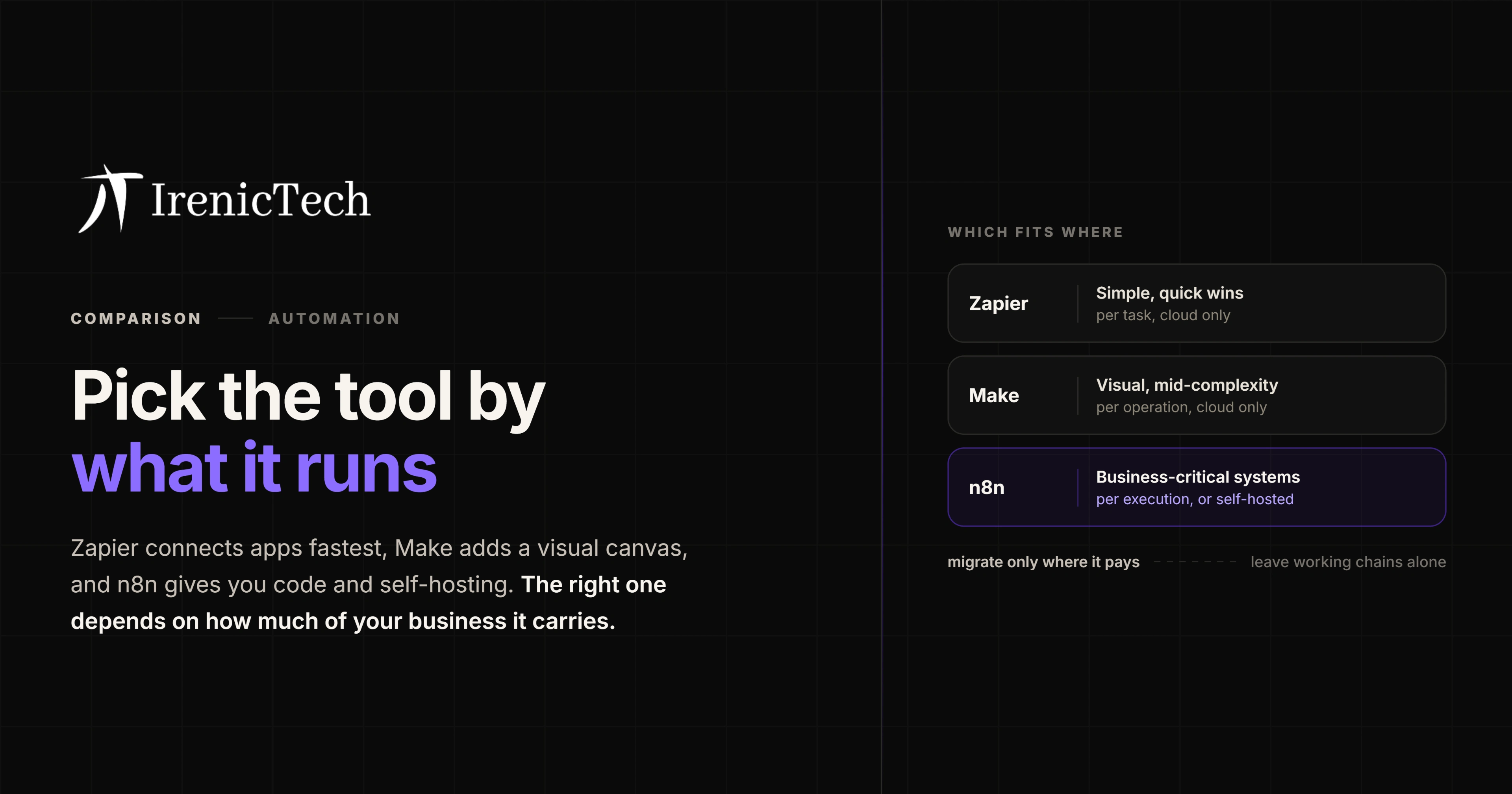
Zapier is the fastest way to connect two apps, Make gives you a visual canvas for branching logic, and n8n gives you code-level control and the option to self-host. The right one depends on how much of your business the automation runs, not on a feature checklist.
IrenicTech · · 3 min read
Written November 2026. We build and maintain automations on n8n, so we have a view. We have also migrated plenty of Zapier and Make setups, and we leave the ones that work alone. Plans and prices change often: check each vendor's current pricing page before deciding.
Zapier, Make and n8n all connect your apps and move data between them. The question is not which is best in general, it is which fits the automation you are about to depend on. A two-step "new form entry to Slack" and a system that books patients, confirms by phone and recalls them in six months are different problems.
The short answer
- Zapier: the fastest way to connect two apps, with the largest catalogue of ready-made integrations. Best for simple, linear automations a non-technical team owns.
- Make: a visual canvas with routers, iterators and error routes. Best for branching scenarios at moderate volume, built by someone comfortable with logic.
- n8n: workflow automation with code when you need it, AI steps, and the option to self-host. Best when the automation runs part of the business, the logic is complex, volume is high, or data has to stay in your environment.
Side by side
| Zapier | Make | n8n | |
|---|---|---|---|
| Hosting | Cloud only | Cloud only | n8n Cloud or self-hosted |
| How it charges | Per task | Per operation | Per execution on Cloud; no per-run fee self-hosted |
| Learning curve | Lowest | Moderate | Moderate to high |
| Branching and loops | Basic paths | Strong, visual | Strong, plus custom code |
| Custom code | Limited code steps | Limited | JavaScript and Python nodes |
| AI steps | Built-in AI actions | AI modules | AI agent and LLM nodes, any model provider |
| Data control | Vendor cloud | Vendor cloud | Your environment, if self-hosted |
| Best for | Simple, quick wins | Visual, mid-complexity | Business-critical systems |
Where each one breaks
Zapier gets expensive and hard to reason about as chains grow. Per-task pricing means a ten-step automation costs ten times a one-step one, and complex branching ends up spread across many separate zaps that nobody can see together.
Make handles branching well, but a large scenario becomes a canvas only its builder understands, and per-operation pricing still climbs with volume. Error handling exists, but it has to be designed in on purpose.
n8n asks more of whoever builds it. Self-hosting means someone owns TLS, encryption at rest, backups, monitoring and updates. Without that discipline, a self-hosted instance can become the most fragile thing you run.
Failure handling decides more than features
Whichever tool you pick, the automation is only as good as what happens on a bad day: a webhook that fires twice, an API that rate-limits you at month end, a model that returns nonsense. Ask whoever builds it about acknowledging webhooks before processing, retries with limits, guarding writes against duplicates, and human approval on expensive steps. Those choices matter more than the logo on the canvas. We publish how our own systems handle them, branch by branch, in our system teardowns.
AI steps
All three now offer AI actions. The difference is control. n8n lets you choose the model provider, chain extraction and validation steps, and check output before it writes to a record, which matters once an AI step makes decisions rather than drafting text. If the AI has to act across your systems, that is AI agent development more than automation.
Regulated data
None of the three should be assumed compliant for health data. Check each vendor's current position on HIPAA and business associate agreements directly. Self-hosted n8n keeps workflow data in an environment you control, but compliance then depends on how that environment and the workflows are built. n8n's own security page does not claim HIPAA compliance.
When to switch to n8n
Move an automation to n8n when it has outgrown its tool: it fails silently, needs branching or retries the current tool handles badly, costs too much at volume, or carries data you want in-house. Move one process at a time and leave simple chains where they are.
If you are weighing a move, our n8n automation page explains how we run migrations, and our guide on how to choose an n8n agency covers what to ask whoever builds it.
Frequently asked
Is n8n better than Zapier?
Not for everything. Zapier is quicker for simple two or three step automations and has the widest catalogue of ready-made app connections. n8n is better when a workflow has real branching, needs custom code or AI steps, runs at high volume, or has to be self-hosted so data stays in your environment. Many teams use Zapier for small personal automations and n8n for the systems the business depends on.
Is n8n cheaper than Zapier and Make?
Often at volume, but compare on your own numbers. Zapier and Make charge by tasks or operations, so cost grows with every step a run executes. n8n Cloud prices by workflow executions, and self-hosted n8n has no per-run fee, though you pay for the server and for whoever maintains it. Check each vendor's current pricing page, because all three change their plans regularly.
Can I self-host Zapier or Make?
No. Zapier and Make are cloud-only services. n8n can run on n8n Cloud or on your own infrastructure, which is the main reason regulated teams and teams with strict data rules choose it.
Should I migrate from Zapier or Make to n8n?
Only where it pays. Migrate the automations that have outgrown their tool: chains that fail silently, need branching or retries, have become expensive at volume, or handle data you want to keep in-house. Leave simple chains that work where they are.
Read us on Google
Make IrenicTech a preferred source.
Tell Google you want our work first. It takes one tap, and IrenicTech is favoured in your Top Stories, AI Mode, and AI Overviews whenever you search the topics we write about.
Add to preferred sources